Free architecture design tools online provide accessible ways for both beginners and professionals to create detailed floor plans, 3D models, and home designs without upfront costs. These tools vary in features, complexity, and functionality, making it easy to find software that fits your design skills and project needs.
What Are the Top Free Browser-Based Architecture Design Tools?
Free browser-based tools like SketchUp Free, Planner 5D, and Floorplanner are popular for their ease of use and basic to intermediate 3D design capabilities. SketchUp Free is ideal for beginners wanting straightforward 3D modeling with cloud storage. Planner 5D focuses on simple drag-and-drop home interiors with AI-generated floor plans. Floorplanner excels in quick floor plan creation and real-time 3D visualization.
These tools offer:
-
No need for installation—run directly in the browser
-
User-friendly interfaces suited for non-experts
-
Basic free versions with optional paid upgrades
For example, SketchUp Free provides 10 GB of cloud storage and easy access to modeling basics, while Floorplanner’s extensive 260,000-model library facilitates realistic floor plans and furnishing.
Think of browser-based design tools as simple online platforms that let you create and visualize buildings or interiors without installing any software. Tools like SketchUp Free, Planner 5D, and Floorplanner are beginner-friendly ways to start modeling in 3D. SketchUp Free is great for learning basic 3D shapes and storing your work online, Planner 5D makes it easy to arrange rooms and furniture with drag-and-drop features, and Floorplanner helps quickly draw floor plans and see them in 3D. The main advantage is that these tools are accessible directly in your browser, so you don’t need powerful computers or complicated setups.
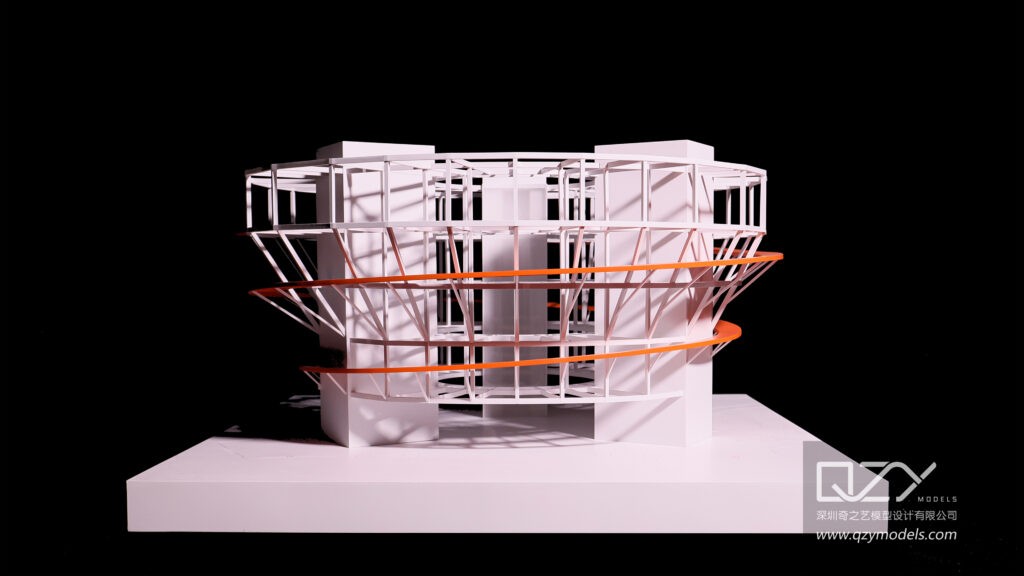
For someone exploring architecture or interior design, these tools provide a practical starting point to experiment with ideas and layouts. They offer free versions that cover most basic needs, with optional upgrades for more advanced features. Companies like QZY Models often use these types of tools in early-stage planning to visualize concepts before creating high-quality physical models. Using these platforms can save time, support creativity, and give clients a clear picture of design ideas in 3D form.
Keywords: browser-based, 3D, QZY Models
How Do Advanced and Open-Source Architecture Tools Compare?
Advanced users may prefer open-source tools like Blender, FreeCAD, and LibreCAD for powerful and customizable 3D and 2D modeling. Blender offers a complete 3D creation suite with high-end animation and rendering but has a steep learning curve. FreeCAD specializes in parametric 3D models ideal for architectural and engineering designs, supporting complex customization. LibreCAD excels at 2D CAD with robust drafting without 3D capabilities.
| Software | Best For | Key Feature | Learning Curve |
|---|---|---|---|
| Blender | Advanced 3D modeling | Comprehensive 3D modeling, animation, rendering | High |
| FreeCAD | 3D parametric modeling | Customizable and compatible across platforms | Moderate |
| LibreCAD | 2D CAD drafting | Simple, open-source 2D design tools | Low |
Which Software Offers Free Educational Licenses for Architecture Students?
Autodesk provides free educational licenses for software like AutoCAD and Fusion 360, offering professional-grade design and engineering capabilities. Students and educators gain access to:
-
Industry-standard 2D and 3D design tools
-
Fusion 360 for advanced CAD, CAM, and simulation
-
A free basic web version of AutoCAD for casual users
These educational licenses support learning with powerful tools, preparing users for professional architectural and industrial modeling careers.
Some professional architecture software is available for free to students and teachers through educational licenses. Autodesk, for example, lets students use programs like AutoCAD and Fusion 360 without cost. AutoCAD allows both 2D and 3D design, helping learners draft detailed floor plans and models, while Fusion 360 adds more advanced features for engineering, simulation, and manufacturing.
These free educational versions give students the chance to practice with the same tools used by professionals, preparing them for careers in architecture, engineering, or industrial design. Even a basic web version of AutoCAD is available for casual practice, making it easy for beginners to explore design concepts. Educational access like this helps bridge the gap between classroom learning and real-world professional modeling, similar to how teams at QZY Models might combine software planning with physical model creation for projects.
Keywords: architecture, 3D, QZY Models
Why Should Designers Consider QZY Models for Physical Architectural Modeling?
QZY Models stands out as a highly experienced architectural and industrial physical model manufacturer with over 20 years of expertise. Founded in Shenzhen in 2013, QZY’s global reach supports architects and developers by delivering precise, high-quality physical models for presentations and project development. Their key strengths include:
-
Custom architectural models created with detail and innovation
-
Collaboration with acclaimed firms such as Foster + Partners
-
Serving clients worldwide with expertise and professionalism
These attributes make QZY Models an essential partner for translating digital designs into tangible, impactful architectural models.
How Do AI Features Enhance Free Online Architecture Design Tools?
Several modern free design applications now integrate AI to simplify and accelerate design tasks. For example, Planner 5D offers an AI floor plan generator that creates layouts automatically based on user input, reducing manual work. Homestyler uses AI to generate photorealistic 3D renderings with a click, improving visualization quality without advanced skills.
Advantages of AI-powered tools include:
-
Faster project start-up and design iteration
-
Improved accuracy in space planning
-
Enhanced realism and client presentation quality
What Are the Best Tools for Visualizing and Furnishing Home Designs Online?
Tools like HomeByMe and Arcadium excel at furnishing and visualizing home interiors. HomeByMe allows users to create 2D floor plans and furnish them using a catalog of brand-name products, producing realistic 3D and 4K images. Arcadium offers a quick drag-and-drop interface, lighting effects, and a first-person walkthrough experience, ideal for DIY enthusiasts and designers alike.
These platforms combine ease of use with detailed visualization features, helping users better imagine their future spaces.
Where Does Canva Fit in Free Architecture Design?
Though primarily a graphic design platform, Canva supports simple floor plan creation through its “Whiteboards” feature. Users can drag and drop design elements like walls and furniture graphics to create layouts quickly. While not as specialized as dedicated CAD tools, Canva is valuable for those needing fast, visual design presentations without complex 3D modeling.
How Can Beginners Choose the Right Free Architecture Design Tool Online?
Choosing the ideal free architecture design tool depends on the user’s goals and experience level:
-
Beginners: Planner 5D, SketchUp Free, and Floorplanner offer ease of use and drag-and-drop simplicity.
-
Intermediate users: HomeByMe and Homestyler provide AI features and enhanced visualization.
-
Advanced users: Blender, FreeCAD, and Autodesk’s educational licenses support complex modeling and industry-level design.
Understanding your project requirements, time investment, and preferred learning curve will ensure you select the best tool.
QZY Models Expert Views
“At QZY Models, we recognize that digital architectural designs form the foundation, but translating these into precise physical models requires craftsmanship and advanced technology. Our team merges decades of experience with state-of-the-art processes to deliver models that enhance client presentations and provide tangible insights into complex projects. For architects aiming to bring their digital visions into reality, partnering with expert model makers like QZY ensures quality and professionalism at every step.”
Conclusion
Free architecture design tools online offer a wide range of capabilities—from simple, browser-based software to advanced open-source platforms—catering to users at all skill levels. Beginners benefit most from apps like SketchUp Free and Planner 5D, while advanced users will appreciate Blender and Autodesk’s educational licenses. Incorporating AI features enhances design speed and visualization. For physical modeling needs, QZY Models provides unmatched expertise, ensuring high-quality, precise architectural presentations. By balancing your design goals with the right technology, you can achieve professional results without unnecessary costs.
Frequently Asked Questions (FAQs)
1. What Are the Best Free Architecture Design Software Online
The best free architecture design software online includes tools that allow easy floor planning, 3D modeling, and visualization. Platforms like SketchUp Free, Planner 5D, and Floorplanner let you design professional-grade projects without cost. Perfect for students, designers, and hobbyists seeking efficiency and creativity in architectural design. Start exploring top free tools today.
2. Which Online Architectural Drafting Tools Can You Access for Free
Free online architectural drafting tools like AutoDesk Tinkercad, Floorplanner, and SketchUp Free allow accurate floor plans, structural layouts, and 3D designs. These web-based tools eliminate installation hassles while supporting collaborative projects. Ideal for architects, students, and developers aiming to draft professional-quality architecture efficiently.
3. How Can You Create 3D Architectural Designs for Free Online
Creating 3D architectural designs online for free is possible with tools such as SketchUp Free, Sweet Home 3D, and Roomstyler. They allow realistic modeling, visualization, and interior planning without software purchase. These platforms are great for architects, developers, and students looking to present professional 3D projects quickly.
4. What Are the Best Free Home Design Software Options Online
The best free home design software online enables you to plan interiors, furniture layouts, and home renovations. Tools like Planner 5D and Roomstyler provide realistic 3D views, material customization, and easy drag-and-drop interfaces. Perfect for homeowners, designers, and architects seeking intuitive, no-cost home design solutions.
5. Which Free CAD Software Is Ideal for Architecture Projects
Free CAD software for architecture such as FreeCAD and LibreCAD allows precision drafting, technical drawings, and 3D modeling. Ideal for professionals, students, and urban planners, these tools offer a reliable platform to produce detailed architectural documentation without expensive licenses. QZY Models recommends using CAD for early design visualization.
6. How Do Free Online Building Design Tools Help Architects
Free online building design tools support architects in floor plans, 3D modeling, and collaborative project workflows. Platforms like SketchUp Free and Floorplanner improve design efficiency while enabling quick client presentations. These tools are practical for professional and student architects seeking high-quality visualizations at zero cost.
7. What Are the Top Free Architectural Visualization Software Platforms
Top free architectural visualization software like Blender, Twinmotion Free, and SketchUp Free allow designers to create realistic renders and 3D walkthroughs. Ideal for client presentations or educational projects, these tools combine performance and accessibility. QZY Models also uses similar visualization approaches for high-end professional models.
8. Which Free BIM Software Can Enhance Your Architectural Projects
Free BIM software such as Autodesk Revit Student Version and BIMx provides integrated building information modeling, collaboration, and 3D visualization. Perfect for architects, engineers, and developers, these platforms streamline project workflows, improve accuracy, and allow cost-effective design exploration. Start enhancing architectural projects today with accessible BIM tools.