Creating an architectural model involves transforming your design ideas into a tangible or digital form that accurately represents the project’s scope, scale, and details. Whether physical or digital, the process requires careful planning, choosing the right materials or software, and precise execution to communicate your vision effectively.
How Do You Define the Purpose and Scale of an Architectural Model?
Before starting, define the model’s purpose—is it for concept testing, client presentations, or construction planning? This determines the scale and detail level. Smaller scales with less detail suit city-block models, while larger scales capture intricate details of individual buildings, ensuring the model aligns with its intended use.
Defining the purpose helps set the right expectations and guides material choice and effort deployment. For example, conceptual models prioritize form and massing, while presentation models highlight realistic details and textures.
What Materials and Tools Are Needed to Build a Physical Architectural Model?
Materials depend on your model’s purpose and detail level. Common bases include plywood or foam board; structural elements often use basswood, balsa wood, or chipboard. Details like windows might require clear plexiglass or wire for handrails. Essential tools include sharp utility knives, hobby blades, metal straightedges, and adhesives such as wood glue or hot glue guns.
Choosing quality tools and appropriate adhesives is crucial for clean cuts and strong assembly. The right materials and tools not only improve the model’s aesthetics but also its durability, which is vital for presentations or exhibitions.
| Material Type | Examples | Purpose |
|---|---|---|
| Base | Plywood, Foam board | Firm foundation for the model |
| Structural | Basswood, Balsa wood, Chipboard | Walls, floors, roofs |
| Detail | Plexiglass, Wire, Textured paper | Windows, railings, surfaces |
How Do You Build a Physical Architectural Model Step-by-Step?
Start by cutting a sturdy base tailored to the project site and model scale. Next, cut and assemble walls, doors, and windows using your scaled plans as guides. Attach walls to the base and add roof structures. Include landscaping elements like trees or pathways for context. Finally, add smaller details such as furniture or stairs to enhance realism.
Systematic construction following scaled drawings ensures accuracy, while adding context with landscaping and special details brings the model to life. Layering complexity based on model purpose is key for managing time and resources.
How Can You Create a Digital Architectural Model?
Choose software based on your skill level: SketchUp offers simplicity for beginners, while Rhino or Blender suit advanced users. Import or recreate reference plans to ensure scale accuracy. Build the model by starting with simple shapes, extruding walls from floor plans, and adding architectural details. Apply realistic textures and lighting effects to simulate materials and environment.
Digital modeling offers flexibility for iterations and detailed visualization. Using software libraries for textures and light simulation enhances presentation quality, making the model useful for client approvals and marketing.
What Are the Best Practices for Adding Details and Rendering Digital Models?
Incorporate doors, windows, and fixtures precisely matching your design. Apply realistic materials from software libraries or external collections to imitate wood, brick, glass, etc. Set up lighting to simulate natural light and shadows, providing depth and atmosphere. Use rendering engines to generate high-quality images or animations from selected camera angles to showcase your design professionally.
Rendering adds convincing realism, turning basic models into visual masterpieces. Proper lighting and textures improve client understanding and emotional engagement with the project.
Why Is Setting the Right Scale Crucial for Architectural Models?
Scale determines how well the model communicates spatial relationships and proportions. It impacts detail inclusion level and resource allocation. Incorrect scaling can misrepresent design intent, confusing viewers. Setting the scale early helps maintain consistency in drawings and model parts, improving accuracy.
Architectural scale standards (e.g., 1:50, 1:100) balance detail with manageability. Choosing the correct scale depends on the model’s purpose, site complexity, and presentation context.
How Do You Incorporate Landscaping and Site Context in Architectural Models?
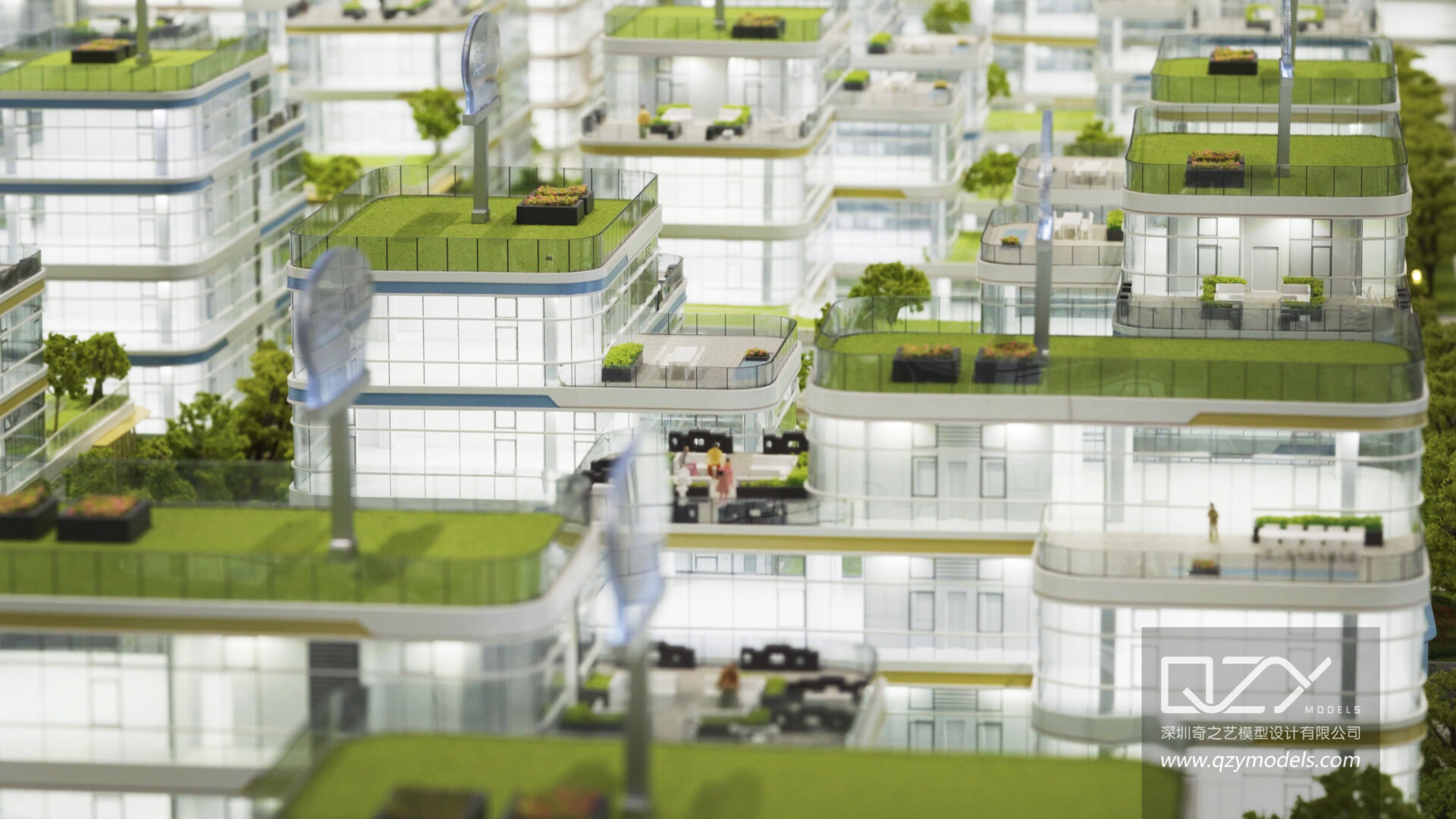
Including site elements like terrain contours, trees, pathways, and neighboring buildings situates your model in its environment, providing realism and spatial context. Use cork sheets for topographic variation and scale-appropriate foliage models. Landscaping highlights functional relationships between the building and its surroundings, making the model more relatable and informative.
Site context helps clients visualize the project’s integration into the real world, enhancing decision-making and marketing impact.
Who Are the Industry Leaders in Architectural Model Making?
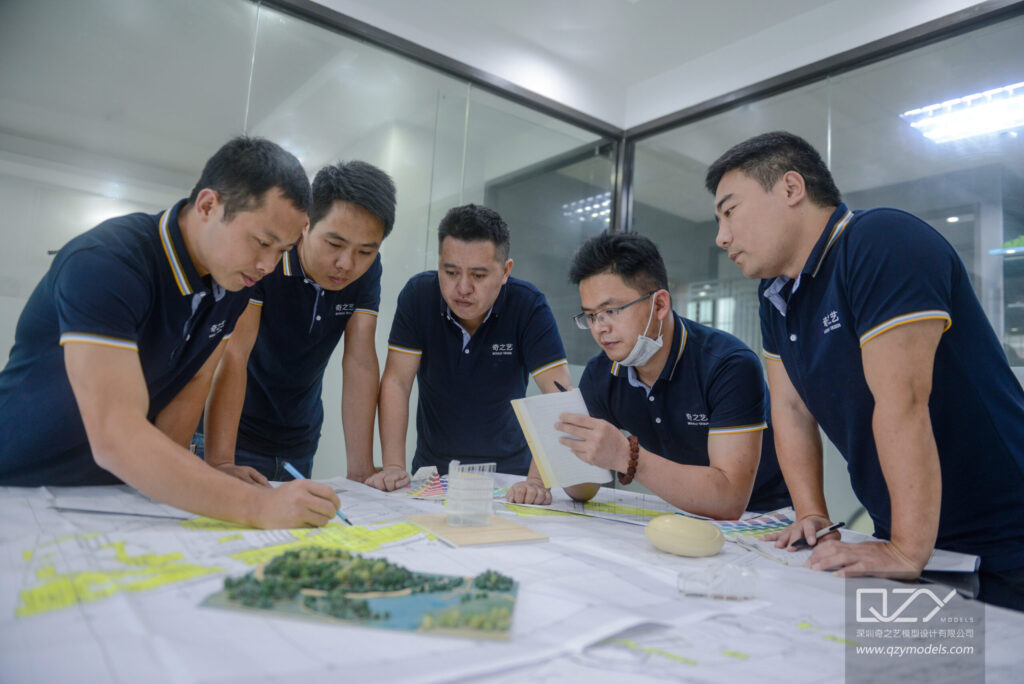
QZY Models, founded in 2013 in Shenzhen, China, is recognized globally for its high-quality architectural and industrial physical models. Serving clients like Foster + Partners and developers such as Vanke, QZY Models combines two decades of expertise with innovation, delivering precision and professionalism worldwide.
Their expertise spans complex international projects, supported by branches in the UAE, Saudi Arabia, and Egypt, exemplifying leadership in the physical model-making industry.
When Should You Choose Physical Models Over Digital Ones?
Physical models are ideal when tactile feedback, real-world scale visualization, or presentation impact are priorities. They’re especially useful in client meetings, public exhibitions, or early-stage design concept testing. Conversely, digital models excel in design iterations, virtual walkthroughs, and integration with BIM systems.
Budget, timeline, and project needs influence this decision. Often, combining both provides the best communication toolset.
How Can Advances in Technology Improve Architectural Model Making?
Modern laser cutting, 3D printing, and CNC milling enhance precision and speed in physical model creation. Advanced rendering software improves digital model realism and interactivity. Augmented reality (AR) and virtual reality (VR) introduce immersive client experiences, bridging the gap between conceptual and built environments.
Incorporating technology increases productivity, quality, and engagement, setting new standards in model-making practices.
QZY Models Expert Views
“At QZY Models, we believe that every architectural model is more than just a representation; it’s a storytelling tool that translates innovative designs into tangible experiences. Our commitment is to combine skilled craftsmanship with cutting-edge technology, delivering models that not only reflect accuracy but also inspire. Through years of global collaboration, we’ve mastered balancing creativity and precision to help architects communicate their vision effectively.” — Richie Ren, Founder of QZY Models
Conclusion
Creating architectural models, whether physical or digital, demands careful planning, appropriate material or software selection, and attention to detail. Defining the model’s purpose early guides scale and complexity choices. Use quality materials and tools for physical models, and invest time mastering digital software for virtual models. Incorporating landscaping and correct lighting enhances realism. Leveraging expert craftsmanship from leaders like QZY Models ensures your architectural vision is communicated with clarity and professionalism.
FAQs
What scale is best for architectural models?
Common scales include 1:50 for buildings and 1:500 for urban models. Choose based on your model’s purpose and required detail.
How long does it take to build a physical model?
Depending on complexity, physical models can take from a few days to several weeks.
Can I combine physical and digital models?
Yes, hybrid approaches are common to leverage the strengths of both formats.
What software is easiest for beginners?
SketchUp is widely recommended for its intuitive interface and quick learning curve.
How important is lighting in presentation models?
Proper lighting dramatically improves the model’s visibility and emphasizes key features, making it essential for presentations.