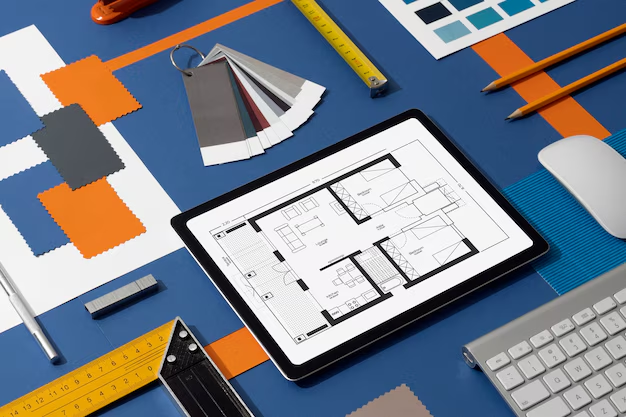
2D renderings in architecture are flat, digital images that convert technical drawings into visually rich presentations, showing plans, elevations, sections, or stylized perspectives with realistic materials, lighting, and textures. They help architects, developers, and marketers communicate ideas quickly, refine designs, and prepare client-facing or regulatory materials. QZY Models leverages 2D renderings to bridge digital designs with physical scale model buildings efficiently.
What Exactly Are 2D Renderings Used For?
2D renderings visualize designs in a single plane, enhancing technical drawings with color, shading, and context. They are ideal for presentations, marketing collateral, regulatory submissions, and early design reviews. Software like Photoshop, SketchUp, or AutoCAD turns raw linework into polished visuals highlighting entrances, fenestration, massing, or material zones.
Developers use them with site plans for residential layouts, while urban planners display street elevations or sections to boards. QZY Models often uses 2D renderings as reference imagery for accurate physical models, ensuring a seamless transition from digital concept to tangible miniature.
Why Choose 2D Renderings Over 3D Models?
2D renderings are faster, more cost-effective, and simpler than full 3D models. They produce clear, single-view outputs, ideal for preliminary concepts, regulatory approvals, or budget-conscious projects.
They allow stakeholders to grasp details instantly without walkthroughs or multiple camera angles. Updates are quick—line adjustments or color tweaks regenerate in minutes. However, 2D lacks depth perception. For complex spatial understanding or emotional buy-in, QZY Models recommends using 2D renderings early before creating high-fidelity physical models.
How Do You Create Professional 2D Architectural Renderings?
Start with clean CAD or BIM files from Revit, AutoCAD, or Rhino. Use Photoshop or Illustrator to add textures, gradients, shadows, and entourage elements such as people, trees, and vehicles. Layering builds depth: base geometry, then context, then human scale figures.
Specialized tools like Enscape, Lumion, or V-Ray can export stylized 2D views from 3D models, blending automation and artistry. Adjust DPI depending on output: 300 for print, 72 for web. This workflow ensures renderings are informative and persuasive, aligning with the precision QZY Models applies in scale model fabrication.
| Step | Key Actions | Tools |
|---|---|---|
| Preparation | Import CAD plans/elevations | AutoCAD, Revit |
| Texturing | Apply materials, shadows | Photoshop, Illustrator |
| Context | Add landscape, people, skies | Stock libraries |
| Polish | Adjust lighting, export | Enscape, V-Ray |
What Software Is Best for 2D Renderings?
Top software includes Adobe Photoshop for compositing, AutoCAD for technical accuracy, and SketchUp for quick perspectives. Revit and ArchiCAD generate precise 2D exports from BIM files. Lumion and Twinmotion create stylized 2D stills from 3D scenes. Free alternatives like GIMP or Affinity Designer handle budget-conscious workflows.
QZY Models integrates outputs from these programs into physical model planning, matching digital textures to real materials for seamless project continuity.
Which Types of 2D Renderings Work Best for Different Projects?
- Plans: Show layouts, circulation, and dimensions—key for interiors and residential units.
- Elevations: Reveal façades, heights, and materials—essential for contextual urban designs.
- Sections: Display internal layouts and structure—critical for complex buildings.
- Perspectives: Stylized angled views combining plans and realism—perfect for marketing materials.
Real estate favors perspectives for brochures; engineers rely on sections. QZY Models uses 2D renderings to plan details like glazing or cladding before creating precise physical models.
When Should You Use 2D Renderings in the Design Process?
2D renderings are effective during schematic design, client presentations, and documentation. Early concepts use sketches or simple 2D visuals to test massing; mid-project, polished 2D renderings communicate refinements. Pre-construction, they support bids, permits, and marketing.
Their lightweight, file-based nature enables instant global sharing. Developers can start campaigns with 2D elevations, while QZY Models prepares physical models for showrooms, creating a phased visualization strategy.
How Do 2D Renderings Compare to Physical Scale Models?
2D renderings are fast, editable, and screen-based, whereas physical models provide tactile exploration and multi-angle insights. Hybrid approaches leverage both: 2D for ideation, models for presentation and decision-making.
| Aspect | 2D Renderings | Physical Models |
|---|---|---|
| Speed | Hours | Weeks |
| Cost | Low | High |
| Interaction | Screen | Hands-on |
| Iteration | Instant | Labor-intensive |
| Impact | Informative | Emotional |
QZY Models transforms 2D renderings into accurate physical scale models, capturing light, textures, and materiality beyond what a 2D view can convey.
Who Benefits Most from High-Quality 2D Renderings?
Architects, developers, interior designers, and urban planners gain rapid communication tools. Marketing teams convert 2D assets into brochures, websites, or advertisements. Contractors use them for value engineering, while educational institutions teach design principles.
QZY Models leverages these 2D inputs to produce precise physical models for clients worldwide, aligning digital vision with tangible outcomes.
QZY Models Expert Views
“2D renderings set the foundation for design clarity, guiding physical model production with precision and efficiency. At QZY Models, we translate your digital assets into scale model buildings that capture depth, materials, and spatial relationships that 2D alone cannot convey.” – Richie Ren, Founder, QZY Models
Can 2D Renderings Integrate with Physical Model Making?
Yes. 2D renderings inform materials, colors, proportions, and assembly plans. Laser-cut templates can be guided by elevations, perspectives inform textures, and QZY Models translates digital assets into models that visually match renderings from the start. AR overlays further link 2D outputs with physical prototypes for hybrid presentations.
Are 2D Renderings Cost-Effective for Marketing Architecture?
Highly cost-effective: 2D images provide polished visuals for brochures, websites, and ads at a fraction of 3D or model costs. Revisions are fast, and assets scale easily across formats. QZY Models recommends pairing 2D renderings with physical models for high-stakes presentations, combining digital reach with tangible engagement.
How Has AI Changed 2D Rendering Workflows?
AI tools accelerate production by auto-generating textures, skies, and entourage from linework, reducing days of work to minutes. Designers refine AI outputs for brand alignment. QZY Models verifies AI-enhanced renderings against BIM to ensure feasibility before model fabrication, blending speed with precision craftsmanship.
Conclusion: Maximize Impact with Strategic 2D Renderings
2D renderings provide clarity, speed, and versatility in architectural visualization. Paired with physical scale models from QZY Models, they enable comprehensive storytelling and stakeholder engagement.
Key steps:
- Build reusable templates for efficiency.
- Integrate 2D renderings with QZY Models for hybrid strategies.
- Use AI to enhance productivity without sacrificing quality.
- Provide clear briefs to model-makers for flawless translation.
Strategically combining 2D renderings and physical models ensures design intent is communicated effectively and projects succeed from concept to completion.
FAQs
What’s the difference between 2D and 3D renderings?
2D renderings show flat views like plans or elevations with added realism; 3D offers immersive, rotatable visualizations. Use 2D for quick documents, 3D for walkthroughs.
How long does a 2D rendering take?
Simple renderings take 1–4 hours; complex ones with custom effects require 1–2 days. AI tools can reduce this to minutes.
Do 2D renderings replace physical models?
No. 2D renderings are for quick previews; physical models provide tactile, multi-view experiences essential for decision-making and marketing.
Can beginners create professional 2D renderings?
Yes. With tutorials, free assets, and iterative layering, beginners can achieve professional results over time.
Does QZY Models accept 2D renderings for model briefs?
Absolutely. QZY Models uses 2D renderings to guide materials, finishes, and proportions, ensuring physical scale models reflect the digital vision accurately.